
One place for common source types
Instead of keeping separate tools for playlist files, remote M3U URLs, Xtream Codes login, and portal-style sources, BLAZIN brings those workflows into one Windows app.
The best IPTV player for Windows is not the app with the biggest promise. It is the app that works with your own legal source, organizes that source clearly, plays reliably on your PC, and gives you enough control to match your setup. BLAZIN IPTV Player is built around that practical Windows checklist.
The buyer problem
Many users search for the best Windows IPTV player after trying an app that could open a stream but did not handle the full workflow. The real test is not whether an app can play one URL. It is whether it can load the source type you have, organize a large playlist, show guide and artwork data when provided, save favorites, and fit your Windows playback preferences.
BLAZIN is designed to be tested with your actual source. That matters because IPTV sources differ. One source may provide only basic live channels. Another may include categories, EPG, logos, Movies, Series, or VOD artwork. A useful player should make that difference visible without pretending to supply the content itself.
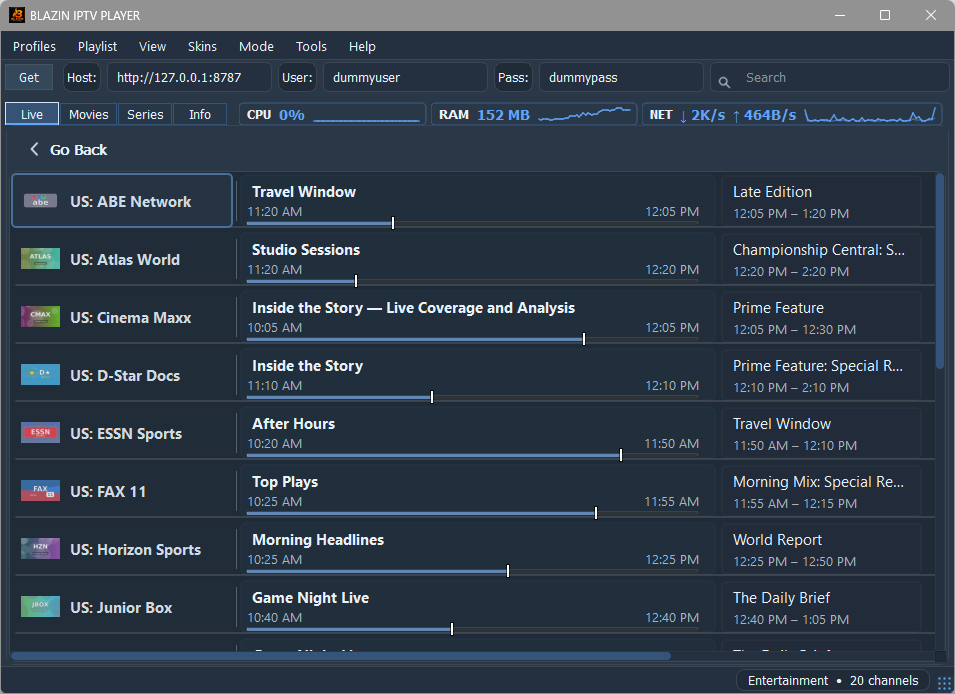
Decision matrix
| Decision factor | Why it matters | How BLAZIN IPTV Player addresses it |
|---|---|---|
| Source compatibility | Your player must match the exact playlist or login method you already have. | Supports M3U files, M3U URLs, M3U Plus, Xtream Codes, STB MAC, and Stalker Portal workflows. |
| Windows-first layout | Desktop and laptop use needs keyboard, mouse, windowed browsing, and PC-friendly navigation. | Runs as a native Windows app for Windows 10 and Windows 11. |
| Playlist organization | Large sources are hard to use without categories, search, favorites, and clear sections. | Provides Live TV, Movies, Series, categories, search, and favorites when supported by your source. |
| Guide and artwork support | EPG, logos, and posters make browsing easier but depend on source data. | Displays compatible EPG, logos, and poster metadata when your source provides it. |
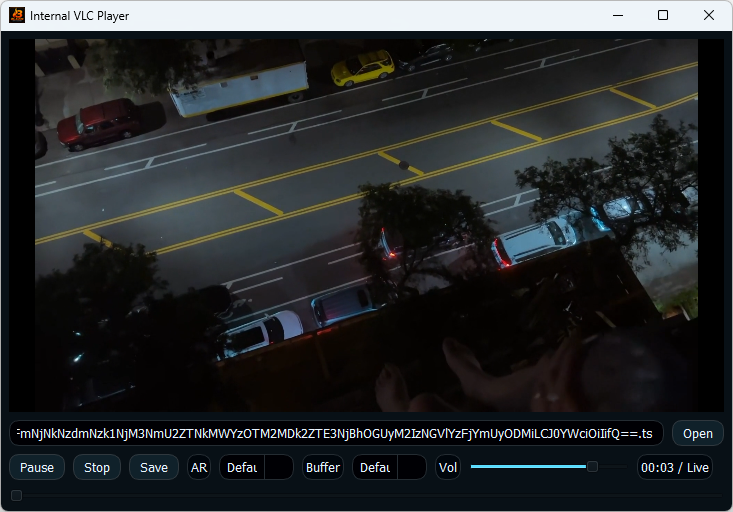
| Playback choice | Some users want an all-in-one app; others prefer VLC or MPC-style playback. | Includes internal playback and external player workflows such as VLC, MPC-HC, and MPC-BE. |
| Advanced compatibility | Stalker and STB-style sources may require specific request or device values. | Includes custom user agent settings and advanced Stalker/STB compatibility fields. |
| Trial before commitment | You should test the real source on your own PC before buying. | Offers a 7-day free trial through Microsoft Store. |
| Legal clarity | A player should not pretend to sell channels or subscriptions. | BLAZIN is player-only software for user-provided legal sources. |
Why BLAZIN sells well as a Windows choice
Instead of keeping separate tools for playlist files, remote M3U URLs, Xtream Codes login, and portal-style sources, BLAZIN brings those workflows into one Windows app.
When your source includes many channels or VOD items, categories, search, favorites, Live TV, Movies, and Series make the app feel less like a raw stream list.
Custom user agent and advanced Stalker/STB fields give experienced users a way to match legitimate source requirements without waiting for a one-size-fits-all default.
What not to choose by
A good player should not need to advertise included channels, free premium content, or subscription access. That is not what BLAZIN sells. BLAZIN sells the Windows software workflow: loading your own legal source, organizing it, and giving you playback and compatibility controls.
This makes the trial important. The correct question is not “does the app include channels?” The correct question is “does this app load my legal source well, organize it clearly, and play it the way I want on my Windows PC?”
Use case fit
BLAZIN is a strong first test when you are not sure whether you will use M3U, M3U Plus, Xtream Codes, STB MAC, or Stalker Portal long term. It gives you room to test different legal source formats without changing apps immediately.
If your source has many channels, categories, Movies, or Series, BLAZIN’s browsing workflow is more useful than a basic app that only opens a playlist and leaves you scrolling through a long list.
For a laptop, desktop, Surface, or Windows PC connected to a display, a native Windows player can be more comfortable than an emulator or mobile-first app window.
The ability to test internal playback and external player workflows helps users who already prefer VLC, MPC-HC, or MPC-BE for their Windows media setup.
Trial plan
Feature checklist
FAQ
Compare source support, Windows usability, playlist organization, EPG and artwork handling, playback options, trial availability, and legal clarity.
BLAZIN combines native Windows use with M3U, M3U Plus, Xtream Codes, STB MAC, Stalker Portal, EPG, categories, search, favorites, and internal or external playback workflows.
No trustworthy player should require that claim. BLAZIN IPTV Player does not provide channels, playlists, subscriptions, or provider accounts.
Yes. BLAZIN IPTV Player offers a 7-day free trial through Microsoft Store.
No. Basic users can load standard playlist or login details, while advanced users can use custom user agent and Stalker/STB compatibility options when needed.
Related guides
See the main BLAZIN product page for source support, organization, and playback details.
Review why a native Windows app can be better than a mobile-first workflow on Windows 11.
Compare BLAZIN with IPTV Smarters-style workflows for Windows users.
Microsoft Store
Install the Windows app, add your own legal IPTV source, and test the supported workflow on your own PC before deciding.
No channels, playlists, subscriptions, provider accounts, streams, or copyrighted content are included.